Stock at every branch, at the counter
Search matches every word in any order, and each result shows the stock at every branch and warehouse.
Watch in HomePOS 2.00:42Some stores sell at the counter and then collect and deliver, such as hardware and building supply stores, electrical suppliers and distributors, tile and bathroom showrooms and furniture retailers, with a supply chain behind the sale. They quote before they sell, sell on account and keep stock in several branches and warehouses. HomePOS 2.0 runs the counter, the stockroom and the books in one system. Endgame can be added at head office and WMS in the warehouse.
Every point links to the moment it happens in the real product tour.
Search matches every word in any order, and each result shows the stock at every branch and warehouse.
Watch in HomePOS 2.00:42Quotations keep their revisions and become a sale at today's prices with one key.
Watch in HomePOS 2.01:41Credit sales within limits that need a reason on record to exceed, a running account per customer, printable statements and aged debtors.
Watch in HomePOS 2.01:15Deliveries are planned by the half-day. Loading the vehicle prints a numbered waybill, and the driver marks each drop delivered on a phone.
Watch in HomePOS 2.04:59Transfers move stock between warehouses and showrooms, and the stockroom's worklist shows what each branch must pick and hand over.
Watch in HomePOS 2.05:23Purchase orders go to local and overseas suppliers in their own currency. Freight, duty and clearing are spread across the lines, so cost is the real landed figure.
Watch in HomePOS 2.05:57Filter by department, raise by a percentage or to a target margin, round the endings and print new shelf labels.
Watch in HomePOS 2.06:54Each branch counts its drawer blind, and the day close checks it tender by tender against what the till expected. Nothing is ever edited after the fact.
Watch in HomePOS 2.07:18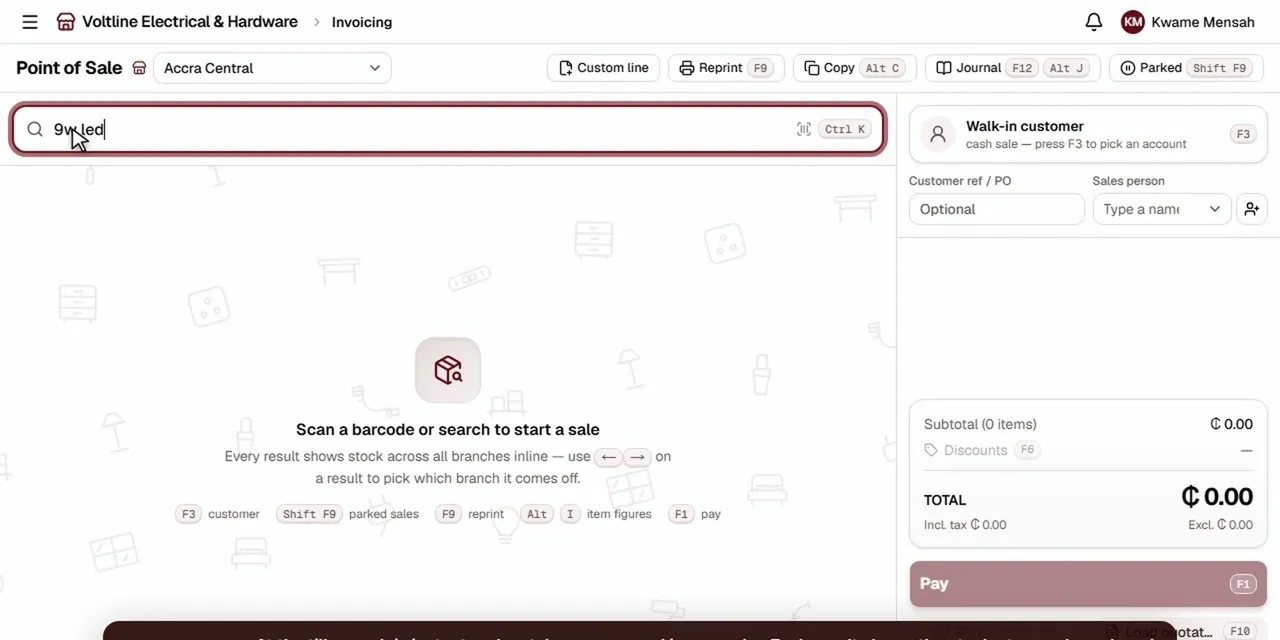 Tour 8:49Hardware, building, electrical & furnitureHomePOS 2.0The counter, the stockroom and the books for multi-branch retailers.Explore
Point of sale, quotations, stock across branches and warehouses, purchasing, deliveries, debtors and day close in one system.
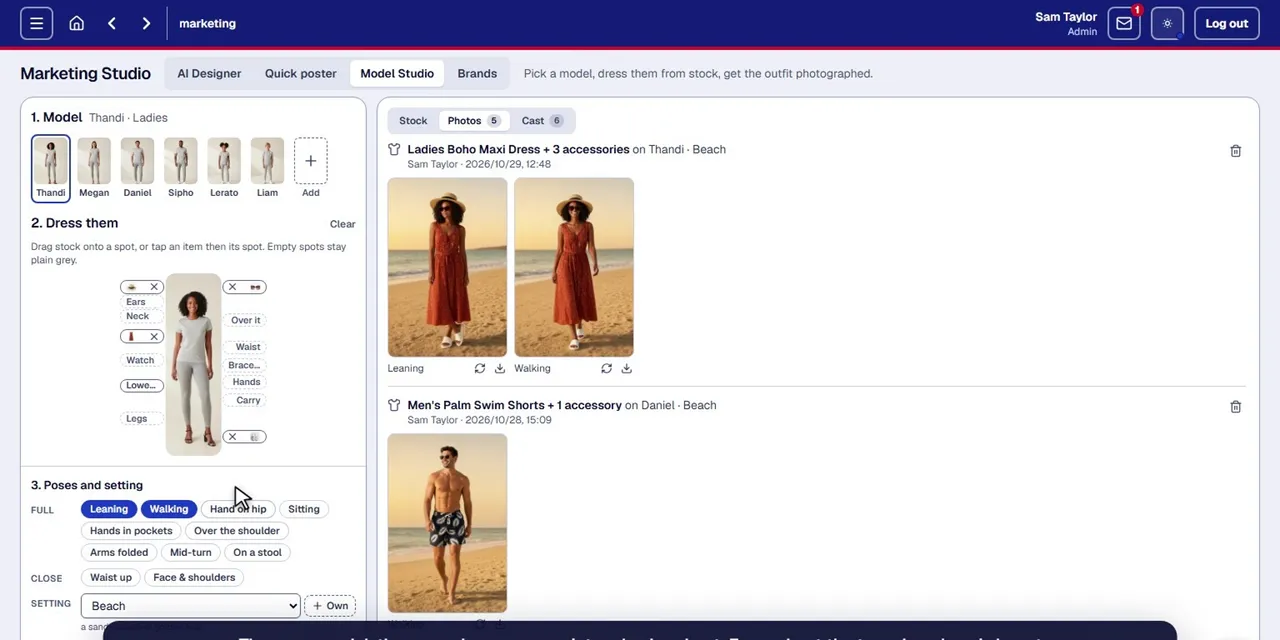 Tour 5:06Add-onCAD Marketing StudioProduct photos, clothing on models, posters and pamphlets, made from the products you already sell.Explore
An optional add-on for marketing. Product photos from a phone, cleaned by AI, and posters and pamphlets in your brand with names and prices from stock.
It depends on how the store sells. A hardware store that trades as straight retail, with customers buying off the shelf at the till, fits CAD 2.0 with Endgame and WMS. One that quotes, collects and delivers, with stock spread across branches and warehouses, fits HomePOS 2.0.
Yes. Tile and bathroom (sanitaryware) showrooms quote first, sell on account to builders and contractors, and deliver from a warehouse. HomePOS 2.0 does quotations, accounts, stock across showrooms and warehouses, and deliveries in one system.
Yes. It's built for multiple branches, warehouses and showrooms. Every search at the counter shows the stock at each location, and stock moves between them on transfers with numbered waybills.
Yes, to two of them. Endgame can be added at head office and WMS in a distribution warehouse, and both share data with HomePOS 2.0. It doesn't connect to the other CAD tills.
Yes. Account customers buy on account within a credit limit, and going over it needs a reason on record. Each customer has a running account with statements, and aged debtors shows who is late and by how much.
Yes. Deliveries are planned by the half-day, loading the vehicle prints a numbered waybill, and drivers mark each drop delivered on their phone.
Yes. Purchase orders go to overseas suppliers in their own currency, and when the goods are received, freight, duty and clearing are spread across the lines.
Cash, card, mobile money and split payments, plus sales on account.
Desktop, tablet and phone. Managers can check stock and sales from any device, and drivers run their deliveries from a phone.